
1、Instrument Interface Definition
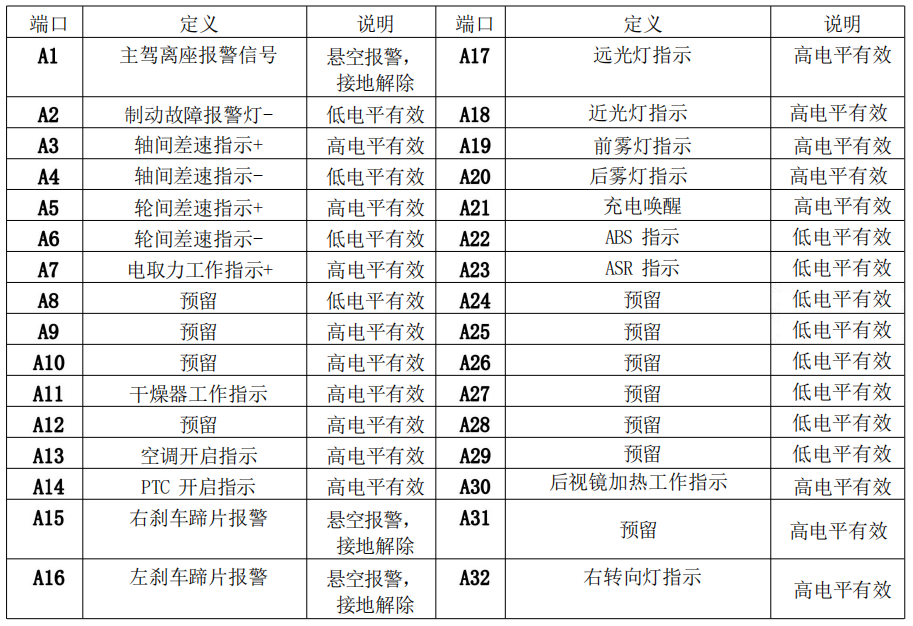
Plug-in A (Green)
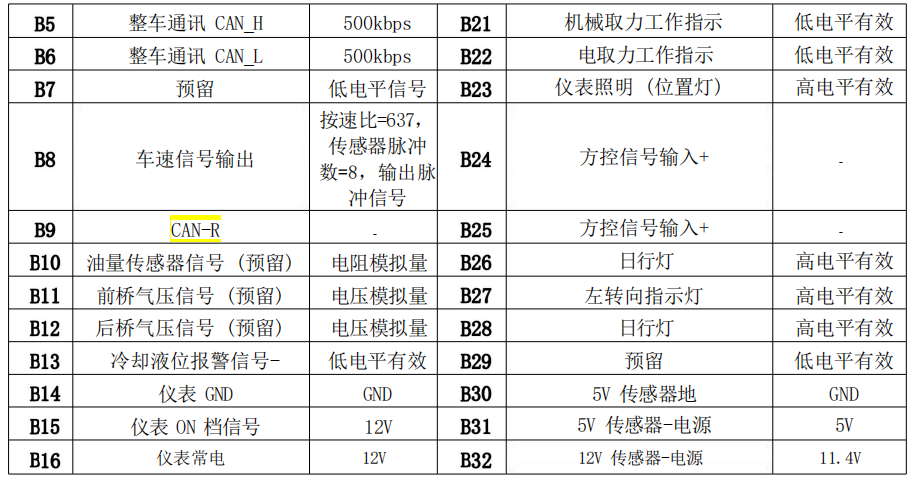
Plug-in B (Blue)
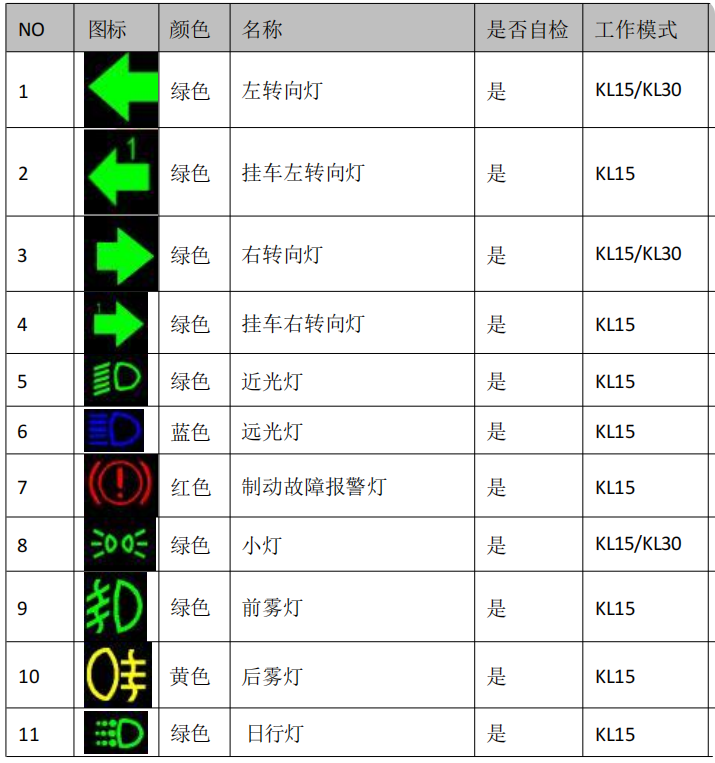
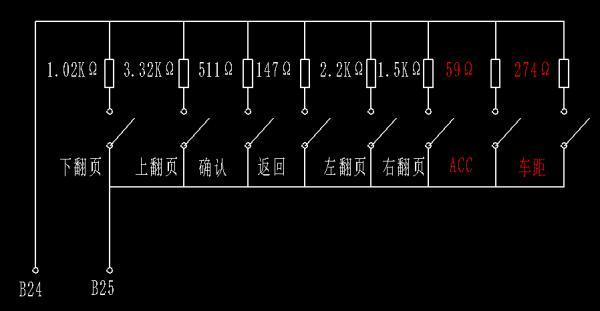
The instrument panel is controlled by a square controller. The principle of the square controller is shown in the figure above. The actual vehicle has six buttons: Page Down, Page Up, Confirm (OK), Return, Page Left, and Page Right. The ACC and Distance buttons are reserved.
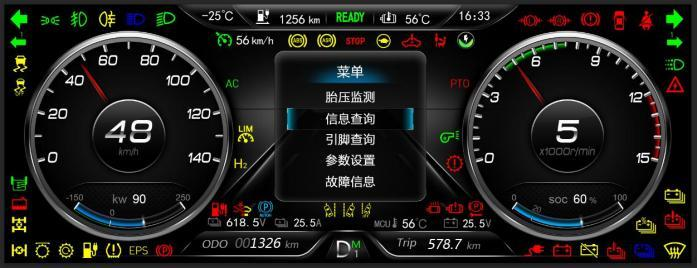
3.1.1 Short-press the OK button on the meter to enter the menu screen. Long-press the OK button (for >5 seconds) to clear the mileage counter.
3.1.2 Page Left, Page Right, Page Up, Page Down, and the Back button are disabled on the main screen.
3.2.1 When the meter KL15 is disabled, the KL30 is enabled, and A21 is high, the charging screen is enabled. Page Left, Page Right, Page Up, Page Down, the Back button, and the OK button are disabled on the charging screen.
3.3.1 The menu screen displays five first-level sub-screens. Scrolling up or down lights up the selected option. After selecting it, short-press the OK button to enter the selected screen. Short-pressing the Back button returns to the main screen.
3.3.2 Page Left and Page Right are disabled on the menu screen.
3.4.1 The Information Query screen has four sub-screens. Scroll up or down to select an option, and the selected option will light up to indicate it's selected. After selecting, short-press the OK button to enter the selected screen. Short-pressing the Back button returns to the menu screen.
3.4.2 Page Left and Page Right do not work on the Information Query screen.
3.5.1 The Pin Query screen displays the pins, pin definitions, and on/off status of all pins on the instrument panel A and B. Scroll left or right to view this information. Short-pressing the Back button returns to the Information Query screen.
3.5.2 Page Up, Page Down, and the OK button do not work on the Information Query screen.
3.6.1 The Tire Pressure Monitoring screen displays the vehicle's front tire pressure, tire temperature, and tire fault information (no fault information is displayed if there are no faults). Short-pressing the Back button returns to the menu screen.
3.6.2 Page Left, Page Right, Page Up, Page Down, and the OK button are inactive on the Tire Pressure Monitoring screen.
3.7.1 On the Fault Information screen, fault information is displayed (no fault information is displayed if there are no faults). If there are more than three fault messages, the page number is greater than one. Flip left or right to view the fault information. Short-pressing the Back button returns to the menu screen.
3.7.2 Page Up, Page Down, and the OK button are inactive on the Fault Information screen.